Demos · 담다 쇼핑
Commerce · Online Store
담다 쇼핑
Shopping and order management for a small online store
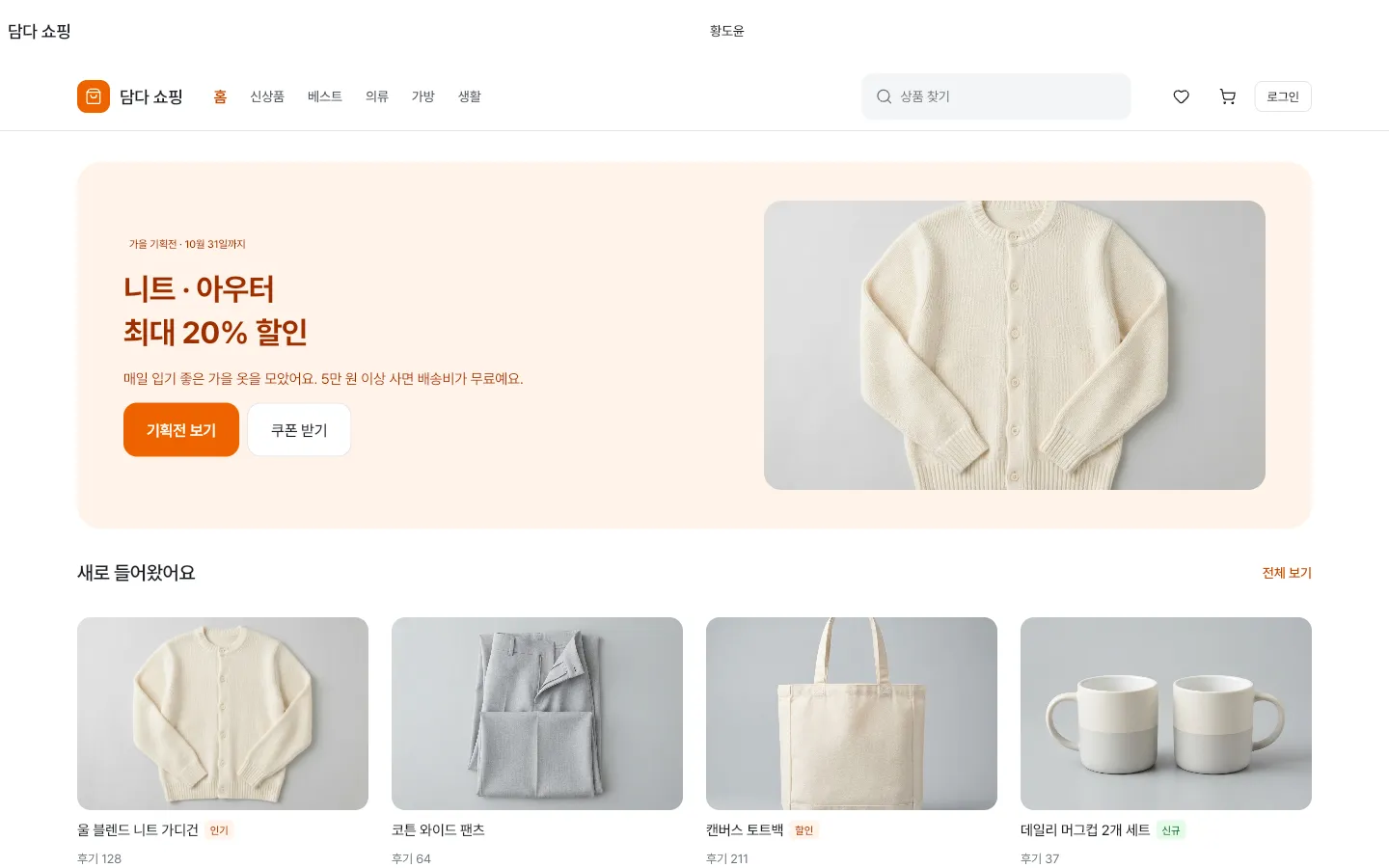
Screens you visit inside the preview are also added to this tab's back history. To explore for longer, open it in a new window.
At a glance
This is a sample app for a small online store, built by Cocode with Flutter, CoUI and Serverpod. In the customer app you find products through the featured collection, categories and search, pick options, add them to the cart and go through checkout; in the admin console you review new orders, prepare them, enter a tracking number and mark them as shipped. Cocode builds store apps and admin screens like this as outsourced projects, from planning and development to deployment and maintenance.
- Type
- Shopping and order management for a small online store
- Parts
- Customer app · Admin console · Widgetbook · Golden gallery · Project documentation
- Tech
- Flutter · CoUI · Serverpod · Widgetbook
- Try it
- In your browser, no sign-up, with sample data
- Built by
- Cocode Inc.
Key features
6 features
- Browsing productsStart from the featured collection and new arrivals on Home, then find all eight products by category, sort order and search.
- Product detailsChoose a size and color, check the Details and Shipping & returns tabs, then add the item to the cart or buy it right away.
- CartChange quantities or delete selected items, and the subtotal, discount and shipping are recalculated. Orders over ₩50,000 ship free.
- CheckoutPick a delivery request and a payment method, pay, and a confirmation screen shows the order number. The items you bought leave the cart.
- Admin dashboardSee new orders, orders to ship, today's sales and low stock as cards, with the new orders and today's top sellers, and move a new order to preparing right there.
- Handling & shipping ordersFilter the order list by status, open an order and move it to preparing, then enter the carrier and tracking number and mark it as shipped.
Demo accounts
In both the app and the console, pick an account under “Choose a demo account” on the first screen. No password is needed.
- CustomerBrowse products · Search · Product details · Cart · Checkout
- AdminDashboard · Order list · Order details · Prepare · Add tracking
Screens to explore
5 in total. Each one opens right in your browser, in a new window.
- AppCustomer appPick products, add them to the cart and check out (opens in a new window)
- ConsoleAdmin consoleReview new orders, then prepare and ship them (opens in a new window)
- WidgetbookWidgetbookScreen and component catalog (opens in a new window)
- GoldenGolden galleryScreen captures by device and theme, checked against the design (opens in a new window)
- DocsProject documentationStructure, conventions and design-check notes (opens in a new window)
Tech stack
About the demo environment
- A demo built around a fictional online store. No actual payments, deliveries or text messages are made.
- It runs on sample data inside this browser, with no server, and reloading the page takes it back to the start. Do not enter real personal information.
- Changing the language keeps you on the same screen and switches sample data such as products, names and addresses to that language.
- Orders, My page and product reviews in the customer app, and Products, Customers, Sales and Settings in the console, are coming soon.
Custom online store app development
From the first call to handover. We scope the work first, then give you a quote.
- ConsultationWe get in touch to understand your situation
- Scoping1 week. Screen list, then quote and contract
- Design & buildYou try an interim version every week
- HandoverRepository · Admin · Permissions · Documents
- Ops (optional)Store support and maintenance
FAQ
Can a store app and its order management screens be built together as an outsourced project?
Yes. As in this demo, one team builds the customer app and the admin console that your operations team uses. After the first call we spend one week listing the customer and admin screens before the quote and contract, and we build tasks your team does itself, such as adding products, checking orders and managing members, as admin screens.
How is pricing determined?
It depends on what you want to build. We first define the scope with you and then give you a quote. How we set costs and how our contracts work are explained on the Process & pricing page.
How long does it take?
It depends on what you want to build. Tell us what you have in mind, and we will start by working out how long it would take. While the work is in progress, you can check a working interim version every week through a link and a test app.
Who owns the copyright and the deliverables?
Upon completion of acceptance and full payment, all economic rights in the copyright vest in your company — including the right to create derivative works — and we will not exercise moral rights in the deliverables. This is stated in the contract.
Shared components used across multiple projects, such as CoUI, are excluded from the transfer. Instead, you receive a copy of their source code together with the right to use and modify them without limits on term, quantity, or territory. Business logic, data structures, and brand elements unique to your company all belong to your company.
How are payment and shipping integrations handled?
Payment and shipping in this demo are simulated, so no real payments or text messages are sent. For a real store, we decide in the consultation which external services to connect, such as a payment provider and carriers, and external integrations are one of the factors that affect the quote.
Need a system like this?
You can send us just three lines. That's where scoping starts.