Demos · HANDALPUM
Healthcare · Postpartum Care CRM
HANDALPUM
From consultation to check-in, care and checkout
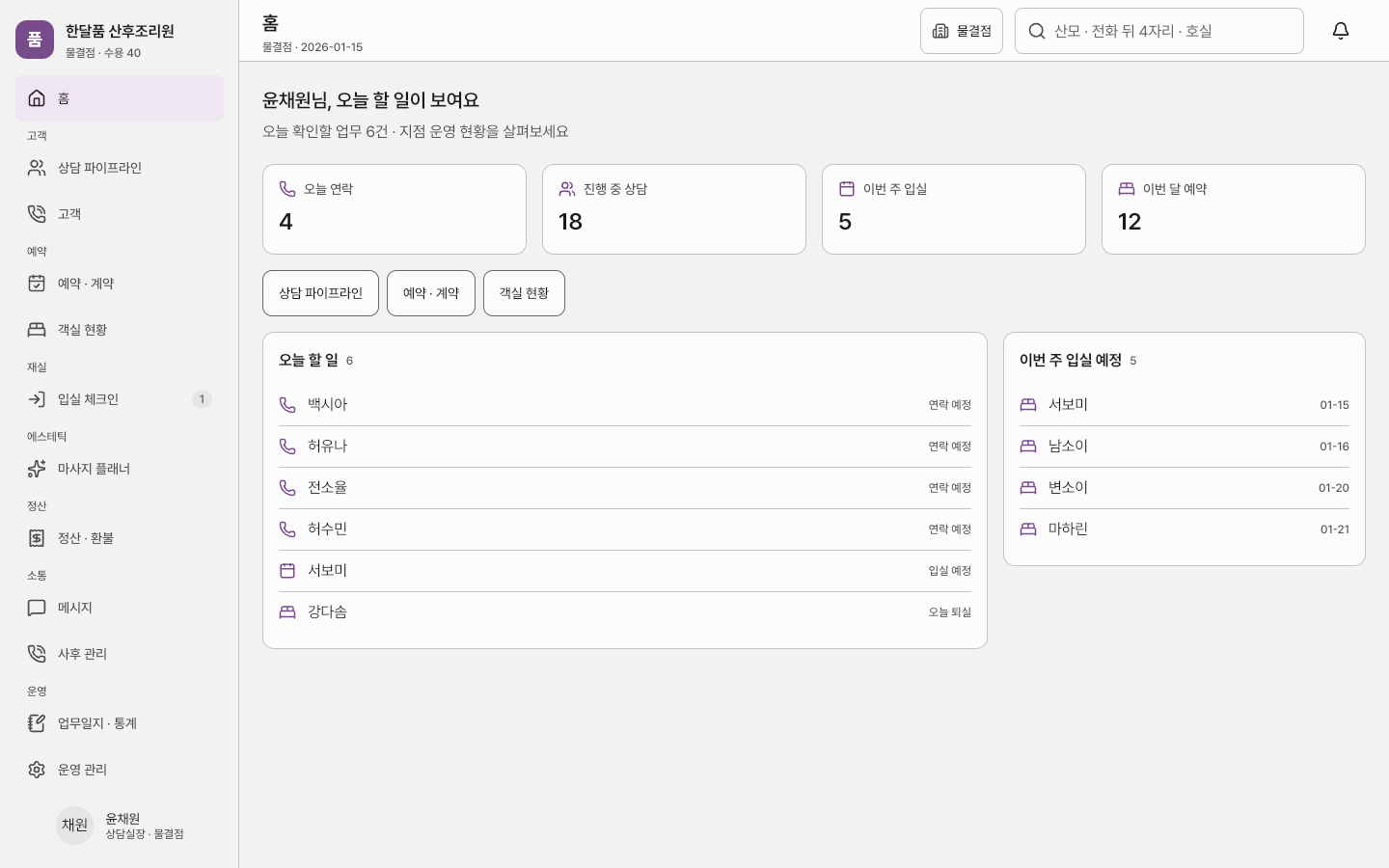
Screens you visit inside the preview are also added to this tab's back history. To explore for longer, open it in a new window.
Overview
Choose a role to explore consultations, bookings, room assignments and mother-and-baby records. Tablet forms, signatures, massage sessions, settlement and branch reports share the same demo data.
Key features
4 features
- Consultation pipelineMove consultations through their stages, review prices and deposits, and confirm bookings.
- Room boardAssign rooms and check tablet admission forms, consent and signature status.
- Care chartRecord mother-and-baby observations and feeding amounts, and manage massage sessions.
- Settlement & refundsSimulate split payments and refunds, then review daily logs and branch statistics.
Demo accounts
Choose one of seven demo roles without signing up. Enter a console-issued code in the kiosk in the same browser to connect the paperwork.
- CEO, director and counselorChoose a demo accountMove consultations through their stages, review prices and deposits, and confirm bookings. Simulate split payments and refunds, then review daily logs and branch statistics.
- Nursing, nursery, aesthetic and lactation staffChoose a demo accountRecord mother-and-baby observations and feeding amounts, and manage massage sessions.
- Tablet userApplication code issued in the consoleComplete and sign consultation forms, admission documents and consent forms.
Screens to explore
6 in total. Each one opens right in your browser, in a new window.
- ConsoleOperations consoleFrom consultation to check-in, care and checkout (opens in a new window)
- SiteIntroduction siteExplore rooms, care programmes and practical information, then try the consultation demo. (opens in a new window)
- KioskTablet kioskComplete and sign consultation forms, admission documents and consent forms. (opens in a new window)
- WidgetbookWidgetbookScreens and UI components by state (opens in a new window)
- GoldenGolden galleryScreen comparisons and reference captures (opens in a new window)
- DocsProduct documentationRequirements, architecture and validation guidance (opens in a new window)
Tech stack
About the demo environment
- People, branches and prices are fictional examples for this demo.
- Data is stored in this browser. Reset the demo to return to the initial state.
- Payments, refunds and messages are simulated. Nothing is charged or sent.
- Sample data (names, records) is in Korean — the interface text appears in the language you chose.
Need a system like this?
You can send us just three lines. That's where scoping starts.