Demos · SONAX CARE
Automotive · Booking & Check-in
SONAX CARE
From car-care booking to store check-in and operations
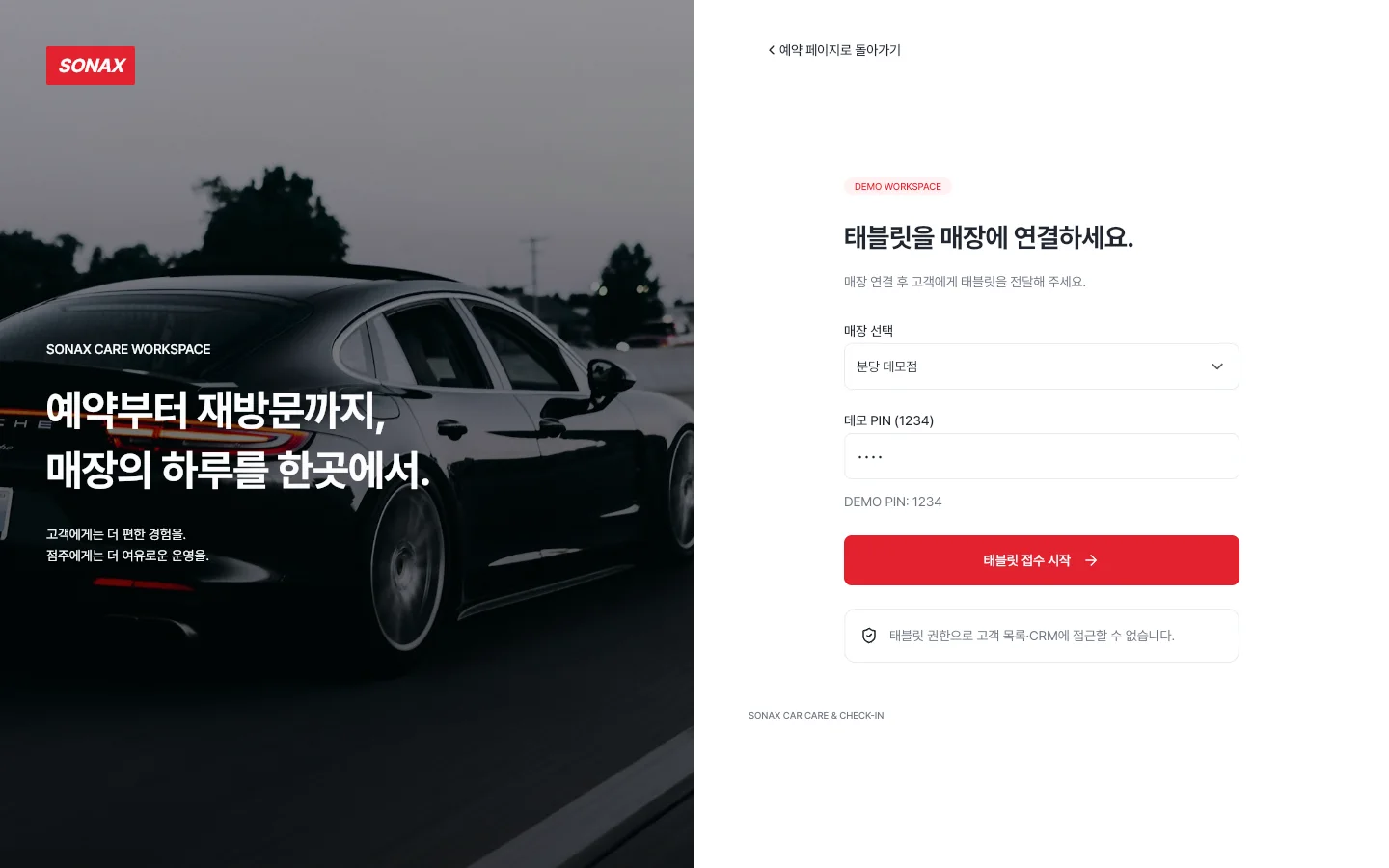
Screens you visit inside the preview are also added to this tab's back history. To explore for longer, open it in a new window.
Overview
Choose a store and services, then enter customer and vehicle details to make a booking. Complete consent and a handwritten signature on the tablet, and view bookings, work status and customer records in the owner console.
Key features
4 features
- Customer bookingSelect multiple services, check vehicle-based quotes and available times, then view or cancel through the booking link.
- Tablet check-inFind today’s booking or register a walk-in, and collect service and privacy consent with a handwritten signature.
- Store operationsManage booking schedules and work status, and view customer visit history, notes and CSV exports.
- Return-visit campaignsPreview messages for customers who opted into marketing and record simulated campaign runs.
Demo accounts
All three demo stores use PIN 1234 for owner and tablet access. Customers can book without signing up; owner and tablet sessions connect separately.
- CustomerNo sign-upStore and service selection, booking, and viewing or cancelling through the booking link
- OwnerDemo store PIN 1234Bookings, work, customers, campaigns and operating settings for the selected store
- TabletDemo store PIN 1234Booking lookup, visitor check-in, consent and signatures for the selected store
Screens to explore
7 in total. Each one opens right in your browser, in a new window.
- AppCustomer booking appServices, quotes, scheduling and booking review (opens in a new window)
- SiteBrand websiteService prices, store finder and booking entry (opens in a new window)
- KioskTablet check-inBooked customers, walk-ins and digital consent (opens in a new window)
- ConsoleOwner consoleBookings, work status, customer CRM and campaigns (opens in a new window)
- WidgetbookWidgetbookScreens and UI components by state (opens in a new window)
- GoldenGolden galleryScreen comparisons and reference captures (opens in a new window)
- DocsProduct documentationRequirements, architecture and validation guidance (opens in a new window)
Tech stack
About the demo environment
- This is a service-planning demo. Stores, customers, vehicles and prices are demonstration examples.
- Owner and tablet PIN 1234 connects demo stores; it is not real user authentication.
- SMS campaigns are simulated. No real messages are sent.
- Booking, check-in and operating records are stored on the same Serverpod demo server. Use fictional customer and vehicle details.
- Sample data (names, records) is in Korean — the interface text appears in the language you chose.
Need a system like this?
You can send us just three lines. That's where scoping starts.