Demos · ONGIL EXPRESS
Mobility · Route & Seat Booking
Mobility
Live
ONGIL EXPRESS
Your journey, your seat
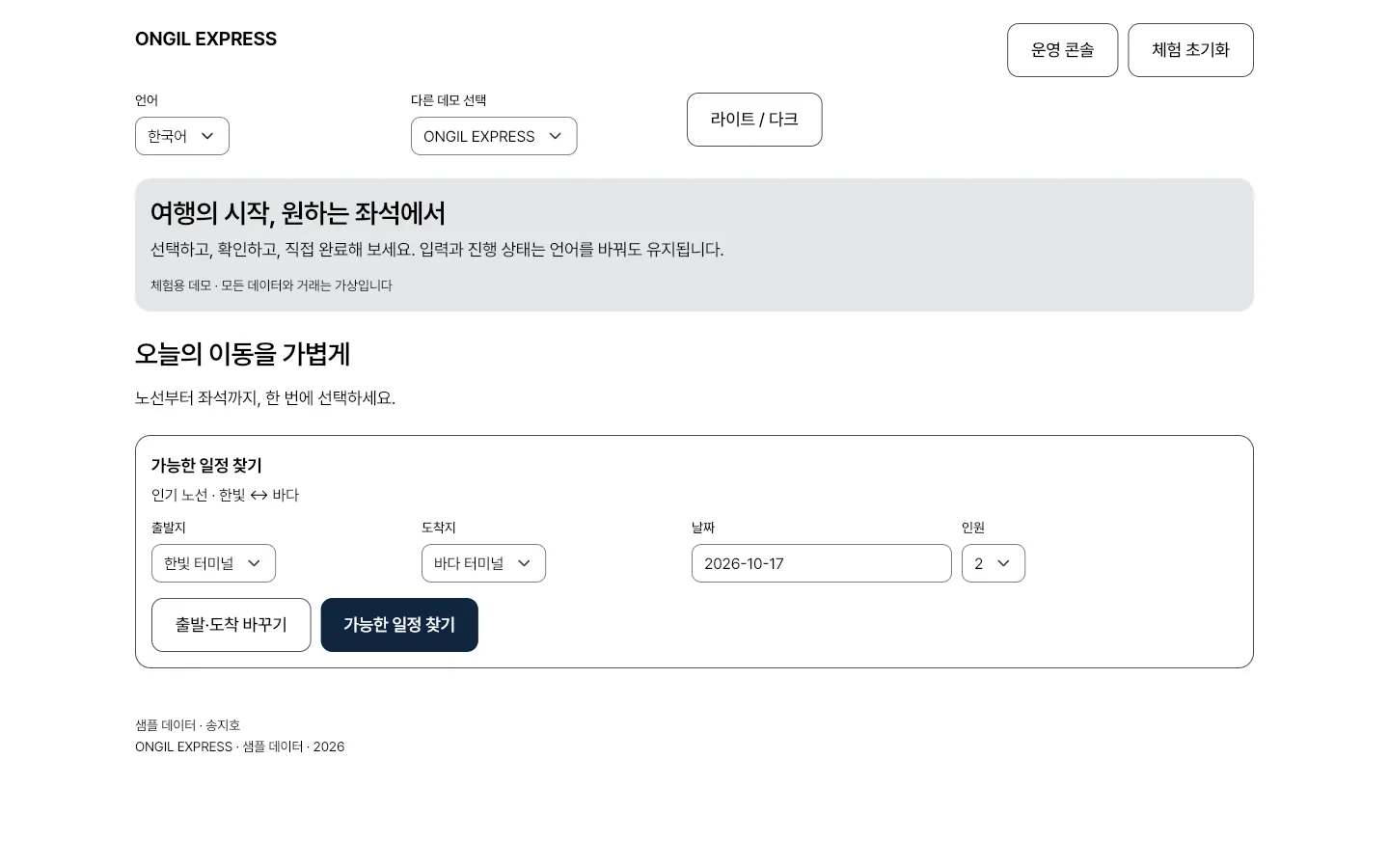
Screens you visit inside the preview are also added to this tab's back history. To explore for longer, open it in a new window.
Overview
Choose and complete the following journeys. Find availability / Time / Selected seats / Your booking. A fictional-brand demo. No actual reservations, payments, deliveries or messages are sent.
Key features
4 features
- Find availabilityFrom · To · Date · Guests · Swap route
- TimeDeparture time · Lowest fare · Seats left · Total
- Selected seatsSelected seats · Select one seat per traveler. Seats are held only after confirmation. · Review conditions · Confirm demo booking
- Your bookingYour booking · Cancel and restore availability · Reset filters
Screens to explore
5 in total. Each one opens right in your browser, in a new window.
- AppExperienceYour journey, your seat (opens in a new window)
- ConsoleOperations consoleReservations and orders (opens in a new window)
- WidgetbookWidgetbookExplore screen states and components (opens in a new window)
- GoldenScreen galleryDemo captures by device and theme (opens in a new window)
- DocsProject documentationJourneys, implementation and validation notes (opens in a new window)
Tech stack
About the demo environment
- A fictional-brand demo. No actual reservations, payments, deliveries or messages are sent.
- Do not enter real personal information. Input and progress remain when changing language.
Need a system like this?
You can send us just three lines. That's where scoping starts.